Seedream 5.5 AI Image Generator for original shots and photo edits
Create with Seedream 5.5 on Open Maker AI. Describe the shot or upload a packshot, set the crop and resolution, and check credits before generating.
Image Examples of Seedream 5.5
Explore multi-step photo editing, transparent PNG compositing, and poster layouts with text.
Relight a Product Photo in Two Steps
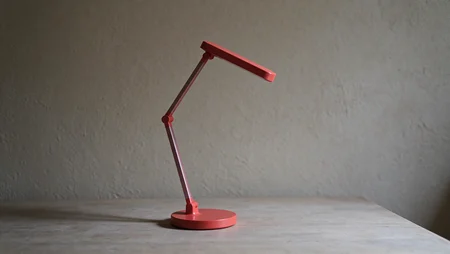
Original · Soft daylight
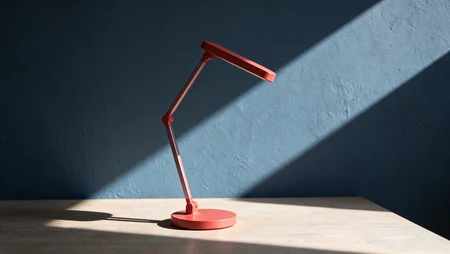
Edit 1 · Blue wall and diagonal sunlight
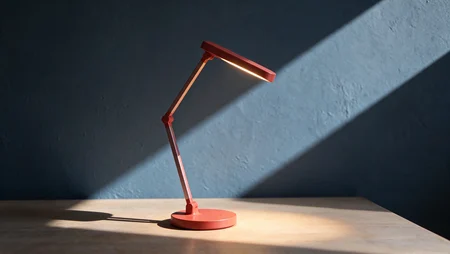
Edit 2 · Lamp switched on
Add a Transparent PNG to a Product Photo
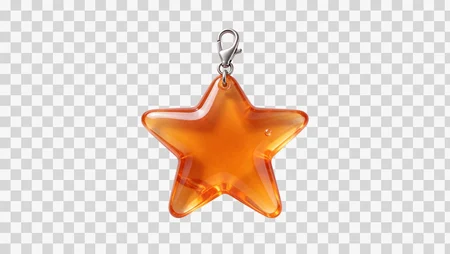
Transparent star charm PNG
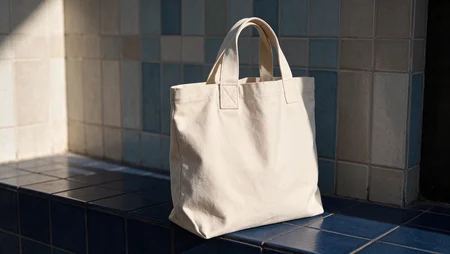
Canvas tote before editing
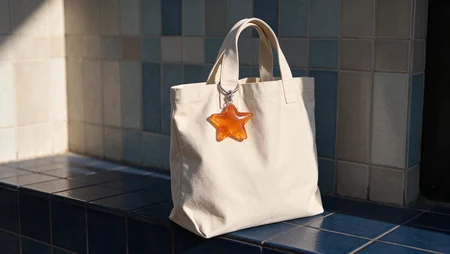
Tote with the star charm
Create Posters With Text
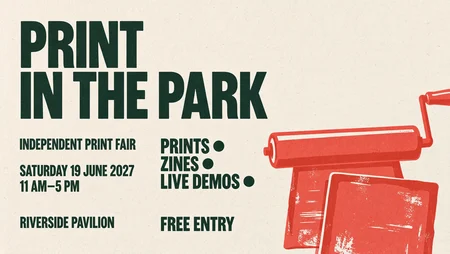
Print in the Park · Fair poster

The Ice Bar · Drinks menu

Rooftop Cinema · Screening poster
Give Seedream 5.5 a product brief and reference photos
Decide what the brief supplies and what the reference photos need to show.
Describe a setup
Name the product, surface and light source to generate a new scene from text.
Bring your own packshot
Add a reference photo to switch to editing. Specify which details should carry over.
Separate the references
Use a product shot for shape and another image for the setting. You can attach up to ten images.
Choose a delivery size
Pick 1k, 1.5k or 2k before you generate the shot.
Plan the crop and credit budget for a Seedream 5.5 shoot
Change one decision per draft so the difference between two shots is easy to see.
Compare the silhouette against two backgrounds
Try a square front view before adding props that compete with the outline.
Leave room for a heading on a shop banner
Ask for negative space on the left when preparing a wide store banner.
Decide whether another reference earns its place
Each reference adds 10 credits. Use an extra angle when it supplies a detail missing from the first.
Choose a resolution for the review stage
Both 1k and 1.5k start at 20 credits. A 2k text-only image costs 30 credits.
Four product photos to brief in Seedream 5.5
Use concrete materials and lighting directions to make each request reproducible.
Ceramic collection
Place a matte bowl against a contrasting cloth and describe how the rim catches the light.
Storefront hero
Request a wide composition with the main object on the right and an uncluttered background.
Packaging study
Upload a carton photograph and ask to see it on a shelf under warm light.
Accessory close-up
Reference a clasp or buckle and ask for a portrait composition focused on that detail.
Set up your first Seedream 5.5 shot on OpenMaker
You can begin with a written concept even before a sample is available.