Free Nano Banana AI Image Generator and Photo Editor
Create images from text or restyle a reference photo with Free Nano Banana on OpenMaker. Describe your subject, lighting, or edit, choose an aspect ratio, and preview the result. Enjoy 100% free image generation with no signup required and unlimited generations.
Try Faster, Higher Quality Image Generator Now!
Upgrade for faster queues, higher quality output, and more generation options.
Explore Photo Edits and Image Ideas with Free Nano Banana
Use these examples to plan an image prompt or a reference-based edit. Look at the subject, background, and visual style, then describe the changes you want in your own picture.
Example 1
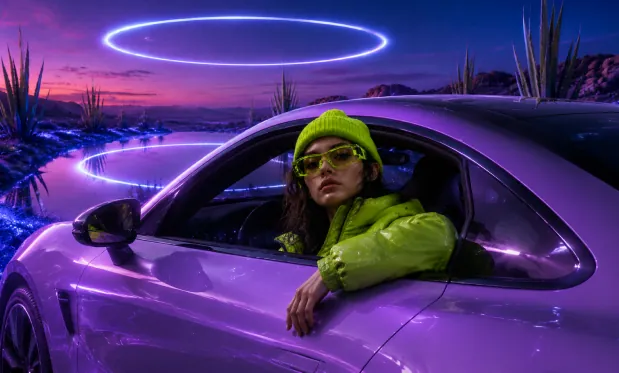
Nano Banana Product Render
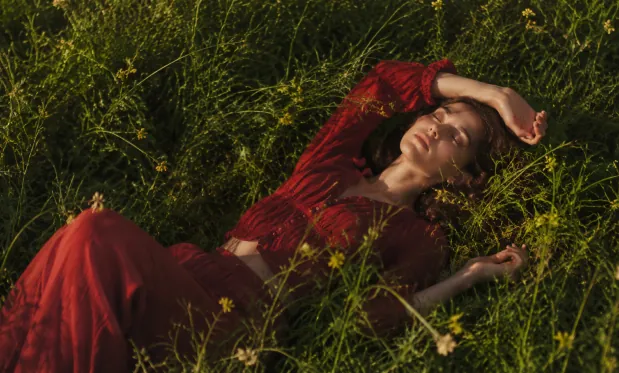
Nano Banana Product Render
Example 2

Nano Banana Cinematic Art
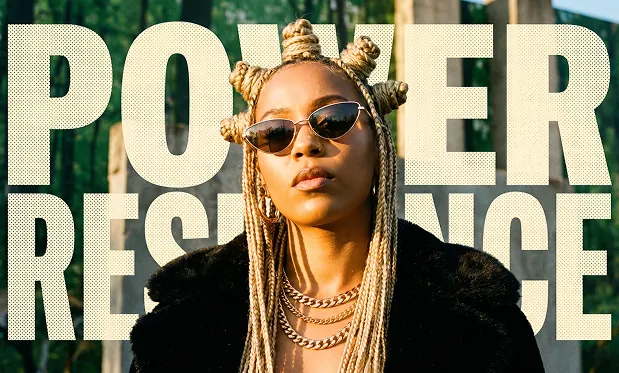
Nano Banana Cinematic Art
Create from Words or Restyle Photos with Free Nano Banana
Turn a written scene into an image, or use a reference photo to guide a new version. Prompt details and aspect ratio help shape the composition before you generate.
Generate a Scene from Text
Describe what should appear in the image, where it is set, and how it should look. Use concrete details such as soft window light or a watercolor finish to guide the result.
Edit from a Reference Photo
Add a photo and explain the change you want: a different backdrop, color palette, or visual style. State which parts of the original image should remain recognizable.
Choose an Image Shape
Select an available aspect ratio before generating. A square, portrait, or wide frame gives the model a composition suited to your intended layout.
Preview before Downloading
Open the generated picture to check the subject and smaller details. Save a result you like, or adjust your instruction and create another version.
Explore Free Nano Banana with No Signup Required
Try Free Nano Banana on OpenMaker without an account or generation credits. Refine a prompt, compare image variations, and download the versions that bring your idea to life.
Begin without an Account
Enter your prompt and generate in the browser without signing up. You can try an image idea before deciding whether you need a separate advanced tool.
Explore without a Generation-Count Cap
Free, unlimited generations let you revisit an idea with a new instruction. Change one detail at a time to see how it affects the next picture.
Describe Edits in Everyday Language
Explain a change in words instead of preparing a layered editing project. A reference photo supplies the visual starting point for your request.
Keep the Versions You Prefer
Preview the generated images and download the ones that fit your brief. Save useful variations as you refine a background, style, or composition.
Use Free Nano Banana for Portraits, Products, and Illustrations
Start with a photo or a written brief to explore a profile picture, product scene, or illustration. Describe the intended use so the generated composition has a clear focus.
Upload a portrait and ask for an illustrated look or a new setting. Mention the facial features and clothing details you want the generated version to retain.
Restyle a Profile Photo
Use a product photo as a reference and describe a tabletop, studio background, or outdoor setting. Review the result as a visual concept for your next product image.
Explore a Product Backdrop
Describe a simple scene that explains your topic, such as a seed growing in a pot. Generate an illustration and check its details before adding it to a slide.
Illustrate a Lesson Idea
Start with a landscape photo and request watercolor, pencil, or another named style. Compare how the generated version changes the mood of the original scene.
Try a Different Artistic Treatment
Explore Free Nano Banana Image Ideas on X
Browse shared image examples for prompt and editing inspiration. Use your own subject and instructions to explore a new image.
How to Create and Edit with Free Nano Banana on OpenMaker
Write your image brief, add a reference if you want to edit a photo, and select the image shape. Generate, inspect the result, and download the version you prefer.